![TEA with tag.svg]](https://help.theemployeeapp.com/hubfs/TEA%20with%20tag.svg)
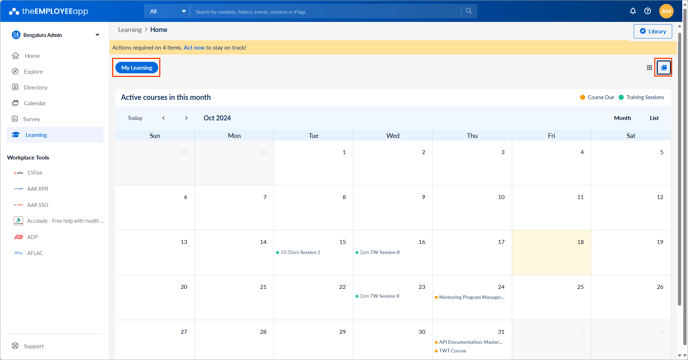
Learners can view the learning schedule on their calendars.
📒Note: If the author has set the due date for courses, you can view them on your calendar.
Navigate to Learning on the left pane.
In the My Learning tab, click the Calendar  Icon at the top right.
View the due dates for:
- A course, if the author has set a due date.
- Instructor training, if you are registered.
📒Notes:
- You cannot view courses on your calendar if they do not have a due date.
- If the author adds slots in a training session, you can register for it.
The calendar remains empty if:
- No courses are assigned.
- The assigned courses do not have a due date.
- You have registered for the instructor training.