![TEA with tag.svg]](https://help.theemployeeapp.com/hubfs/TEA%20with%20tag.svg)
Employees can view and manage the calendar only if the account admin gives permission.
What admins can do
Admins can create calendars and give employees either:
- Edit access: To manage the calendar and add events to it.
- Edit calendar
- Delete calendar
- Add event
- Manage event
Learn more in the Add and manage event.
- View access: To view the calendar and its events.
View calendar events
Navigate to Calendar on the left pane.
Change the calendar to view the existing events in it.- Click the drop-downs on the right and select a month and year.
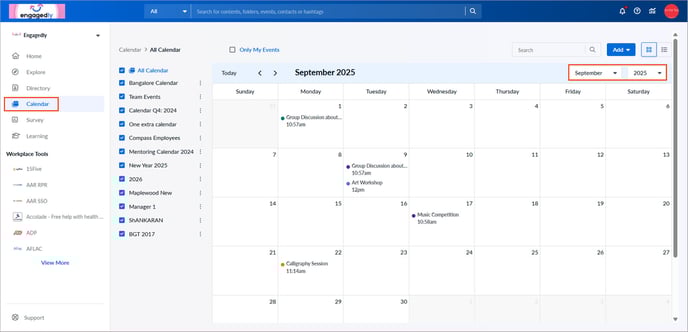
2. Select a calendar on the left to view its events.
📒Note: Events are visible in the calendar only if the calendar is shared with you.
Manage a calendar
After adding a calendar, manage it if required.
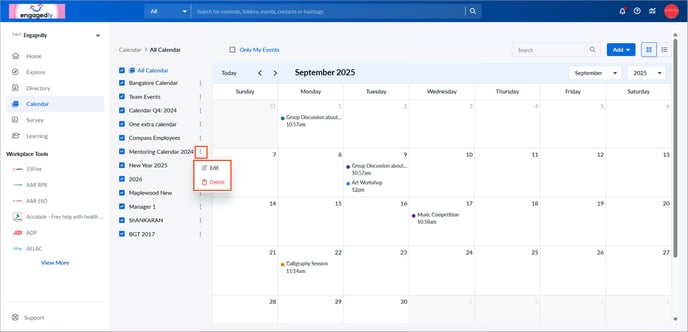
- Click the Overflow
 Menu on the right side of a calendar where you have edit access.
 - Select Edit or Delete as required.